
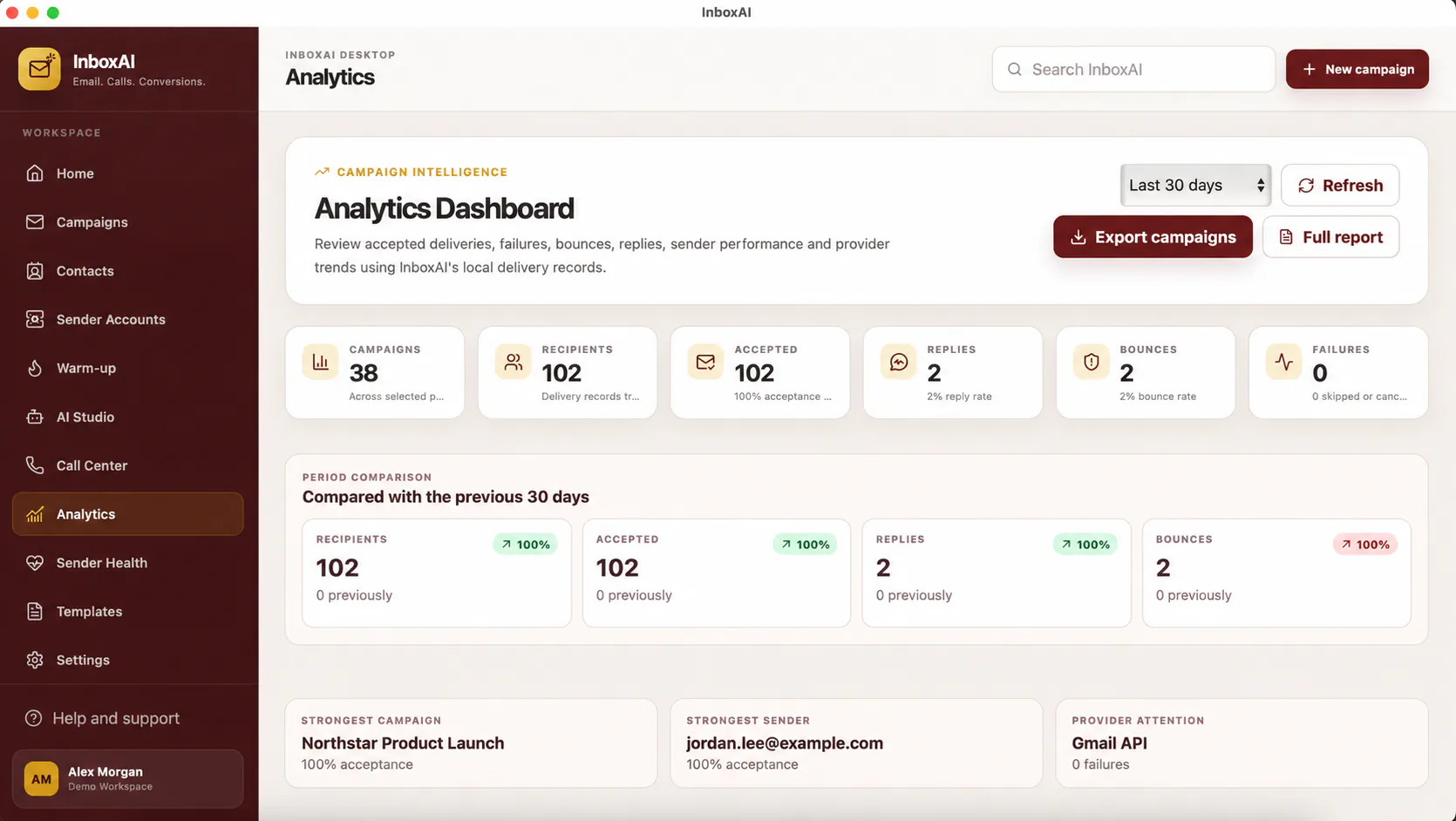
Review the campaign in context
Compare performance with campaign purpose, audience quality, sender condition, content and delivery events.
- Start with delivery activityIdentify sends, failures and bounces before judging engagement.
- Review trendsCompare similar campaigns rather than unrelated audiences.
- Investigate anomaliesSudden changes may indicate data, provider or configuration issues.
- Record decisionsNote what changed so future comparisons remain meaningful.
- Avoid misleading claimsSome privacy protections and client behaviour can affect tracking accuracy.
Use data to improve the next campaign
Adjust one or two meaningful variables at a time, such as audience relevance, subject clarity or sender readiness.
i
Metrics are directional
Opens, clicks and other tracked events may be incomplete or influenced by automated systems.
NEED MORE HELP?
Contact InboxAI support.
Share the exact issue and a sanitised screenshot. Never include passwords, tokens or full licence keys.